#Common UI Customizations
Table of Contents
Note
This page lists commonly used settings for UI customizations. AdHoc Settings are used in global.asax and CSS can be applied to report.css. (Refer to below example).
For CSS, browser cache reset is required for the changes to be seen
Non-Control UI Elements
| Setting Name | Setting Description | Default Value |
|---|---|---|
| AdHocSettings.ThumbnailWidth | Thumbnail Width | 170 |
| AdHocSettings.ThumbnailHeight | Thumbnail Height | 220 |
| AdHocSettings.DashboardGaugeWidth | Width of the Gauge in the Dashboard, height is changed proportionally | 200 |
| AdHocSettings.GaugeWidth | Width of the Gauge for non-Dashboard rendering | 250 |
| AdHocSettings.GaugeHeight | Height of the Gauge for non-Dashboard rendering | 50 |
| AdHocSettings.HighChartLabelWidth | Label width in HTML Charts. By default width is calculated automatically | n/a |
Rendering Settings (Style Tab AdhocSettings)
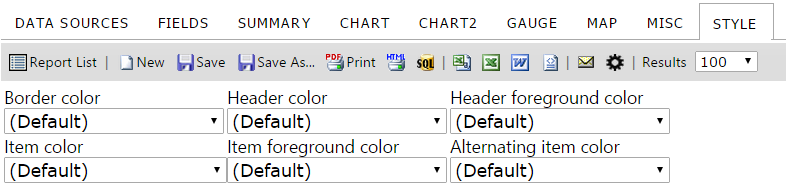
Each adHoc setting corresponds to the below setting under Style Tab
| Setting Name | Setting Description | Default Value |
|---|---|---|
| AdHocSettings.DefaultAlternatingItemColor | Alternating Cell Background Color | "Gainsboro" |
| AdHocSettings.DefaultHeaderForegroundColor | Header Value Color | "White" |
| AdHocSettings.DefaultItemForegroundColor | Cell Value Color | "Black" |
| AdHocSettings.DefaultReportBorderColor | Border Color | "White" |
| AdHocSettings.DefaultReportHeaderColor | Header Color | "DarkSlateBlue" |
| AdHocSettings.DefaultReportItemColor | Cell Background Color | "White |
CSS Elements
| Description | CSS Class |
|---|---|
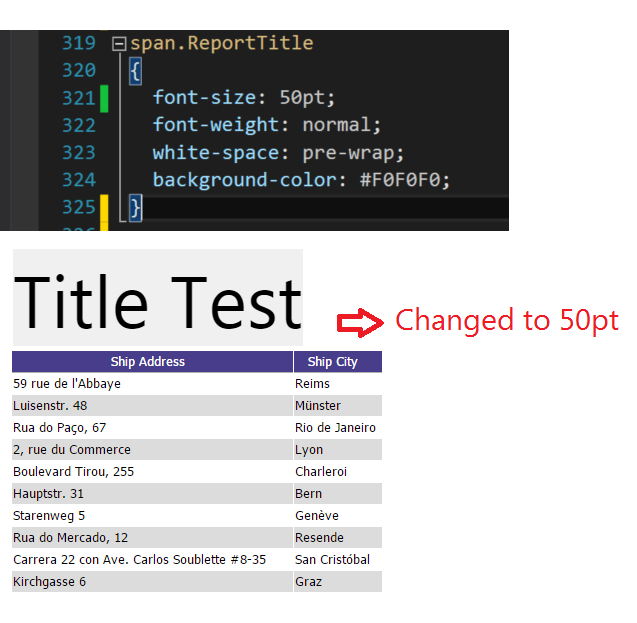
| Report Title | [id$="_ReportsDiv"].ReportTitle |
| Report Description | [id$="_ReportsDiv"].Description |
| Report Header | [id$="_ReportsDiv"].Header |
| Report Footer | [id$="_ReportsDiv"].Footer |
Examples
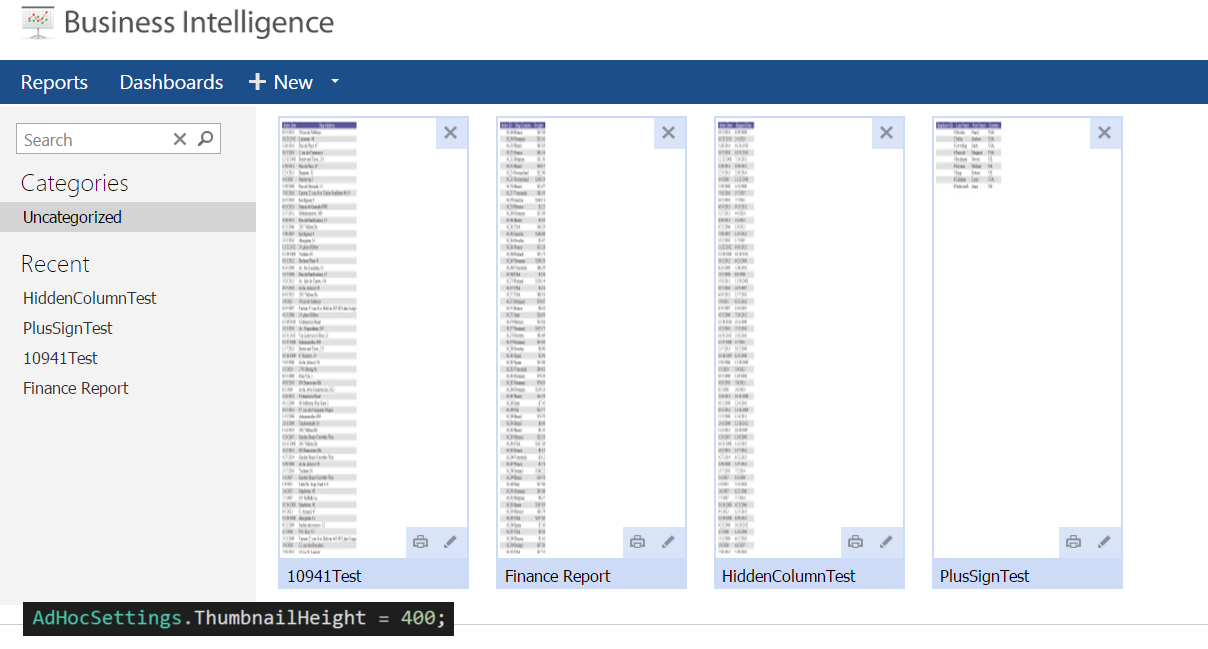
###Global.asax (C♯) - Thumbnail Height Change
public class CustomAdHocConfig : Izenda.AdHoc.DatabaseAdHocConfig
{

  public static void InitializeReporting() {

    if (HttpContext.Current.Session == null || HttpContext.Current.Session["ReportingInitialized"] != null)
      return;
    AdHocSettings.LicenseKey = "INSERT_LICENSE_KEY_HERE";

    AdHocSettings.SqlServerConnectionString = "INSERT_CONNECTION_STRING_HERE";
    Izenda.AdHoc.AdHocSettings.AdHocConfig = new CustomAdHocConfig();
    HttpContext.Current.Session["ReportingInitialized"] = true;

    AdHocSettings.ThumbnailHeight = 400;     // ThumbnailHeight set to 400


  }
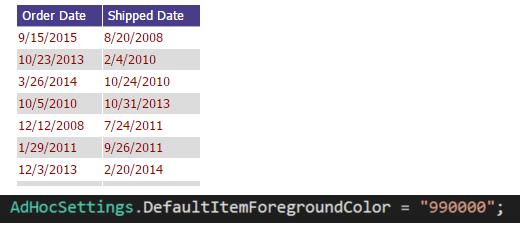
###Global.asax (C♯) - Default Item Foreground Color Change
public class CustomAdHocConfig : Izenda.AdHoc.DatabaseAdHocConfig
{

  public static void InitializeReporting() {

    if (HttpContext.Current.Session == null || HttpContext.Current.Session["ReportingInitialized"] != null)
      return;
    AdHocSettings.LicenseKey = "INSERT_LICENSE_KEY_HERE";

    AdHocSettings.SqlServerConnectionString = "INSERT_CONNECTION_STRING_HERE";
    Izenda.AdHoc.AdHocSettings.AdHocConfig = new CustomAdHocConfig();
    HttpContext.Current.Session["ReportingInitialized"] = true;

  AdHocSettings.DefaultItemForegroundColor = "990000";     // set to 990000, which is 'RED' in hex


  }
/Resources/css/Report.css - Report Title Font Size Change
** Make sure you delete all the cached files before applying any change **