☰
Current Page
Main Menu
Home
Home
Editing Show_Hide-Fields-in-Filters
Edit
Preview
H1
H2
H3
default
Set your preferred keybinding
default
vim
emacs
markdown
Set this page's format to
AsciiDoc
Creole
Markdown
MediaWiki
Org-mode
Plain Text
RDoc
Textile
Rendering unavailable for
BibTeX
Pod
reStructuredText
Help 1
Help 1
Help 1
Help 2
Help 3
Help 4
Help 5
Help 6
Help 7
Help 8
Autosaved text is available. Click the button to restore it.
Restore Text
#Show/Hide Fields in Filters [[_TOC_]] ##Purpose Hiding fields in filters is a way to disallow filtering on certain fields. You can programmatically prevent access to fields in the filters tab based on any arbitrary logic you wish to employ. You can also adjust the logic to show specific fields. ##Example Here are the available fields before hiding any: 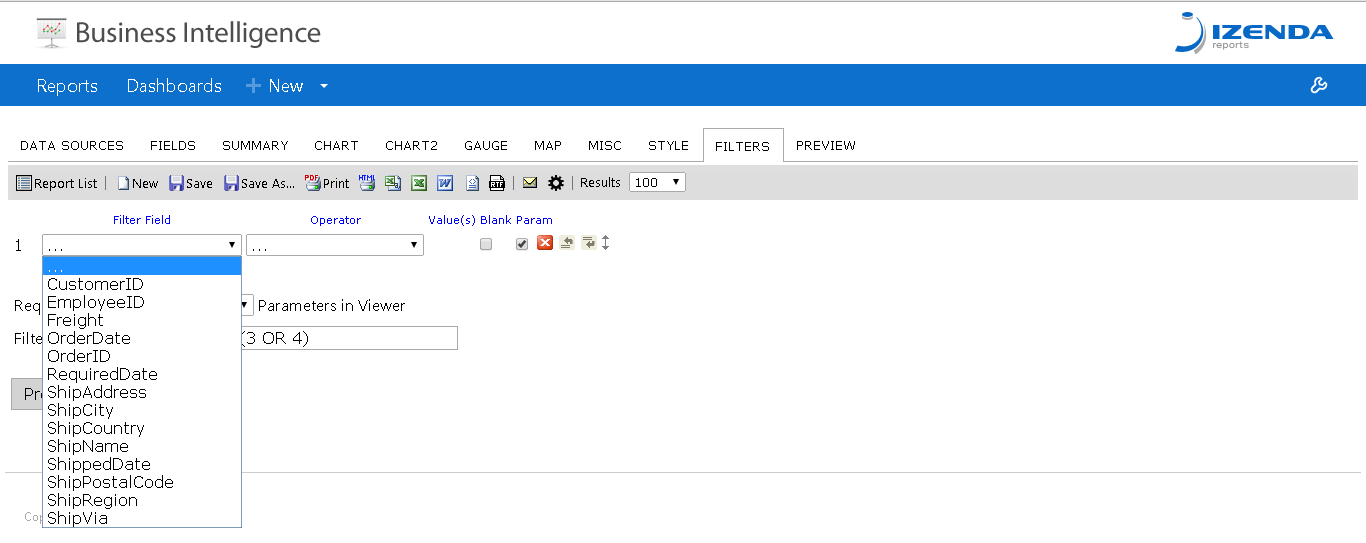 And here are the available fields after hiding all that contain the word "Ship": 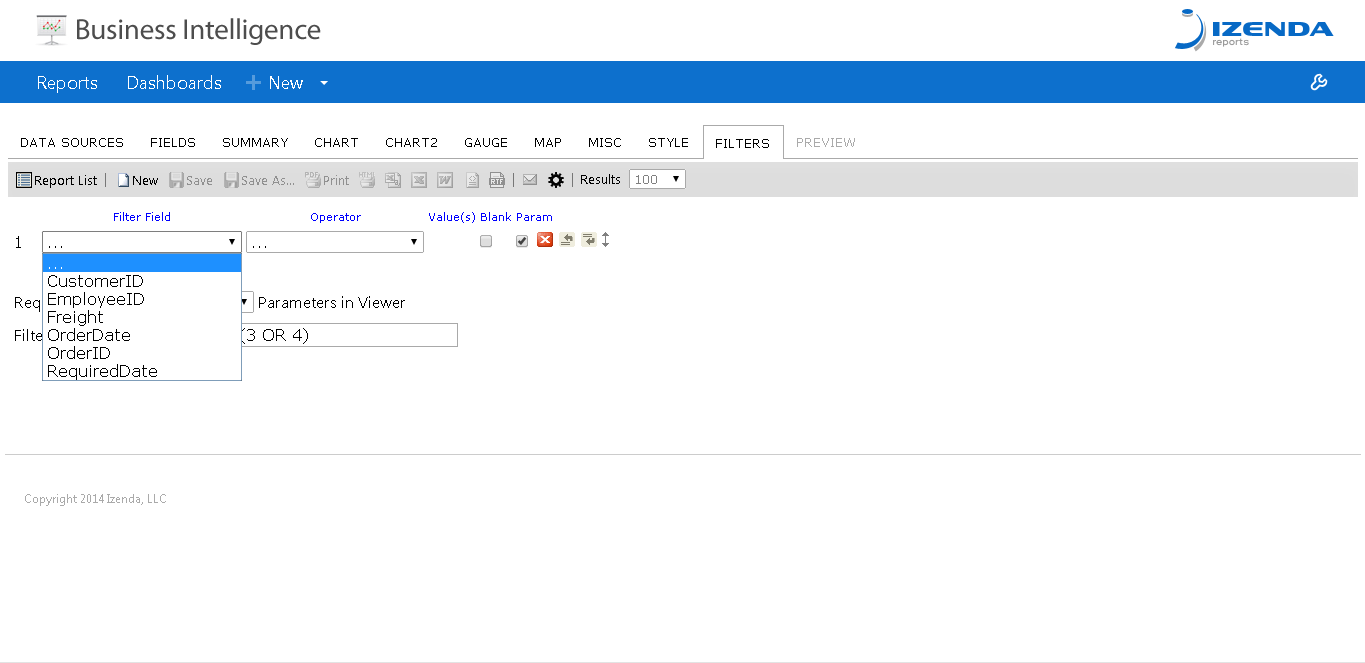 In this example, I'm arbitrarily disallowing the user to filter on any field with the word "Ship" in it. ##Implementation There is a rather simple override to implement this functionality in your Global.asax. The function is IsFieldAllowedInFilters and has the following signature. ```csharp public override bool IsFieldAllowedInFilters(string fullColumnName, string tableName, string columnName) { base.IsFieldAllowedInFilters(fullColumnName, tableName, columnName); } ``` Here is the override used to achieve the results in the Example section: ```csharp public override bool IsFieldAllowedInFilters(string fullColumnName, string tableName, string columnName) { if (columnName.Contains("Ship")) { return false; } else return true; } ``` Your logic can be easily amended to target individual columns, or even entire tables worth of columns.
Uploading file...
Header
 **This documentation is for the legacy Izenda 6 product. Documentation for the new Izenda 7 product can be found at [[https://www.izenda.com/docs/|https://www.izenda.com/docs/]]**
Sidebar
 --- * [[Izenda 7 Series Documentation|https://www.izenda.com/docs/]] * [[Release Notes]] * [[Upgrade Best Practices|FAQ/Izenda-Update-Best-Practices]] * [[FAQ]] * [[Tutorials]] * [[The Izenda API|/API/AdHocConfig]] * [[The AdHocSettings class|/API/AdHocSettings]] * [Developer Links and Guides](/Guides/Developer-Links-and-Guides) * [[Known Issues]] --- * <a href="http://www.izenda.com" rel="nofollow" target="_blank">Izenda Website</a> * [Product Video](https://www.youtube.com/watch?v=X3-yWFq0w5A) * <a href="http://www.izenda.com/blog" rel="nofollow" target="_blank">Izenda Blog</a> * <a href="http://www.izenda.com/company/" rel="nofollow" target="_blank">About Us</a> * <a href="http://www.izenda.com/contact-us/" rel="nofollow" target="_blank">Contact Us</a> --- * [Guide To Report Design](/Guides/ReportDesign) * [Making Custom Forms Video](http://www.youtube.com/watch?v=5b2axJlgdFs) --- * [[Acknowledgements]]
Edit message:
Cancel