☰
Current Page
Main Menu
Home
Home
Editing bootstrap-namespacing
Edit
Preview
H1
H2
H3
default
Set your preferred keybinding
default
vim
emacs
markdown
Set this page's format to
AsciiDoc
Creole
Markdown
MediaWiki
Org-mode
Plain Text
RDoc
Textile
Rendering unavailable for
BibTeX
Pod
reStructuredText
Help 1
Help 1
Help 1
Help 2
Help 3
Help 4
Help 5
Help 6
Help 7
Help 8
Autosaved text is available. Click the button to restore it.
Restore Text
#Namespace Izenda's Bootstrap Classes to Avoid Conflicts [[_TOC_]] ##Introduction If your application uses Bootstrap, and you integrate Izenda to use your own master/layout pages, you may need to separate Izenda's Bootstrap classes to avoid CSS conflicts with your own. You will need a CSS pre-processor (SASS or LESS) to accomplish this; both are available in Visual Studio and support namespacing. ##Using SASS **Step 1 >> To avoid having to change several references throughout the application, rename main.css (for example, main-no-namespace.css).** 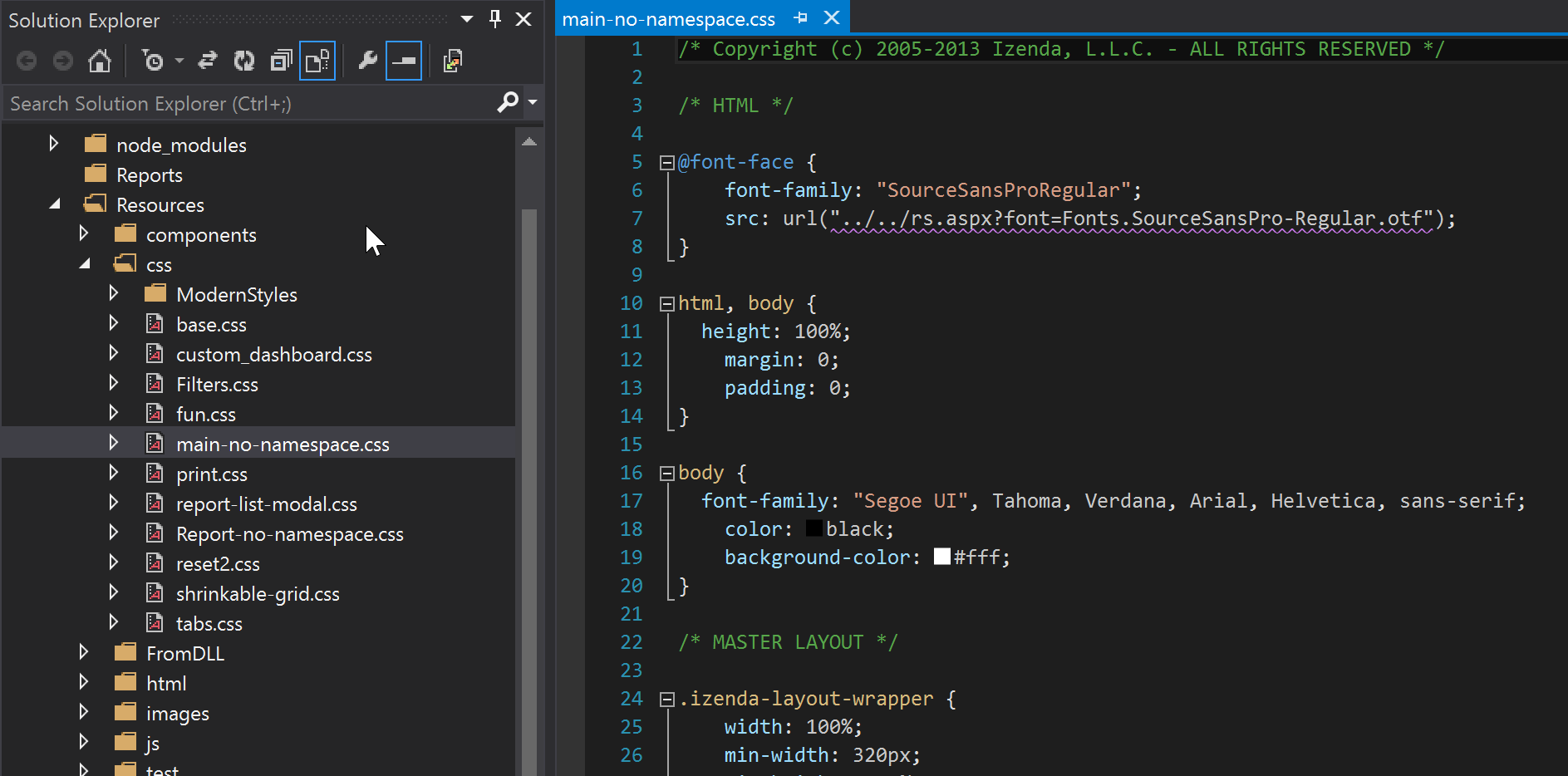 **Step 2 >> Create a SASS sheet titled main.scss.** **Step 3 >> Import the renamed file (in this case, main-no-namespace.css) into the SASS sheet _inside_ the new namespace class. This sheet will compile to main.css.** 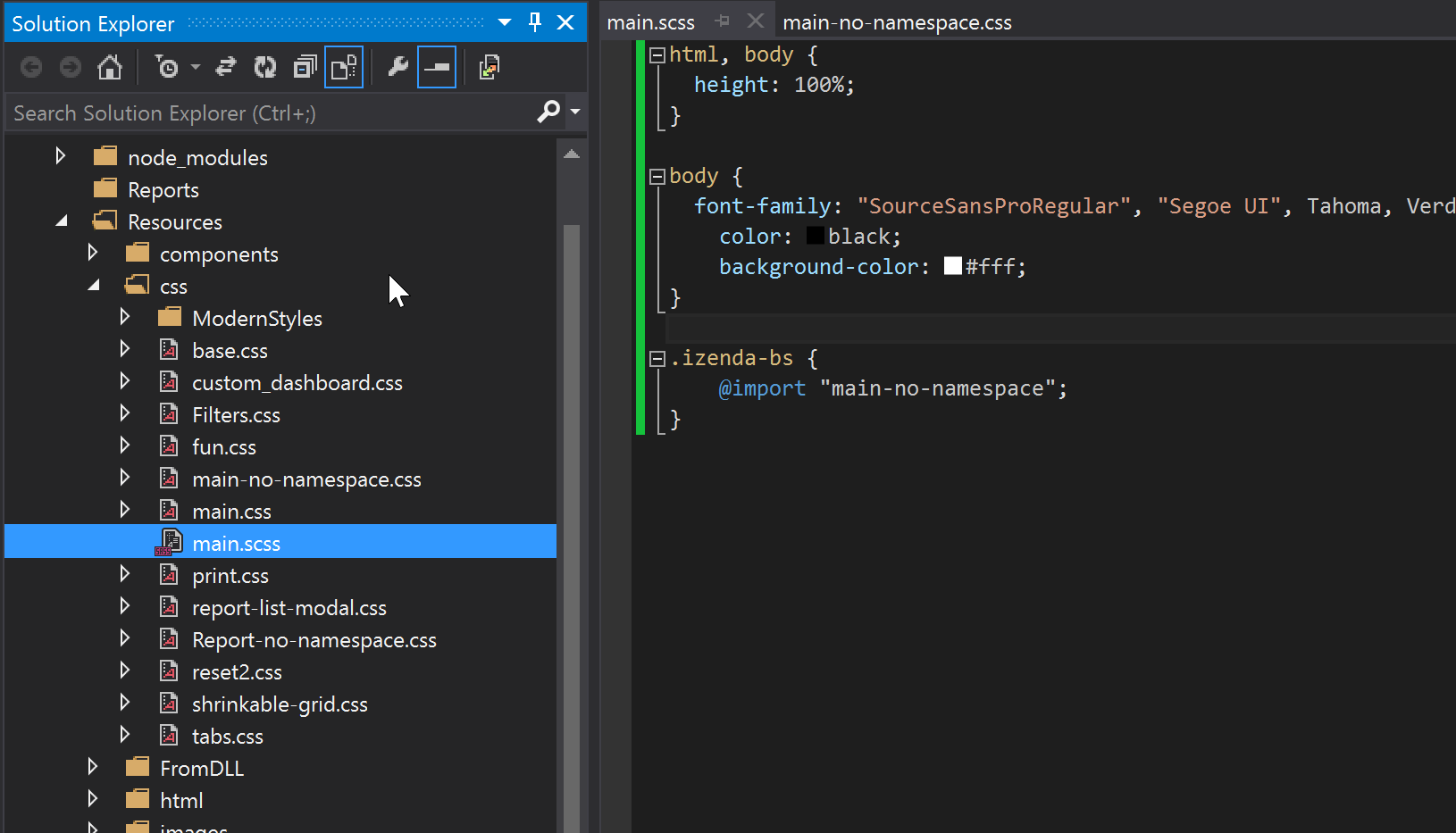 **Step 4 >> Add the new namespace class (in this case, izenda-bs) to the top-level Izenda div. In our vanilla reference implementations, all Izenda pages render inside of the first div below the body tag in the Default.master page. By using the namespace class at the top-level div, this namespace usage will cascade to all other classes within that div, meaning that it will apply to the entire set of reporting pages and create a wall of separation between Izenda's bootstrap CSS and any other bootstrap CSS in the hosting application.** 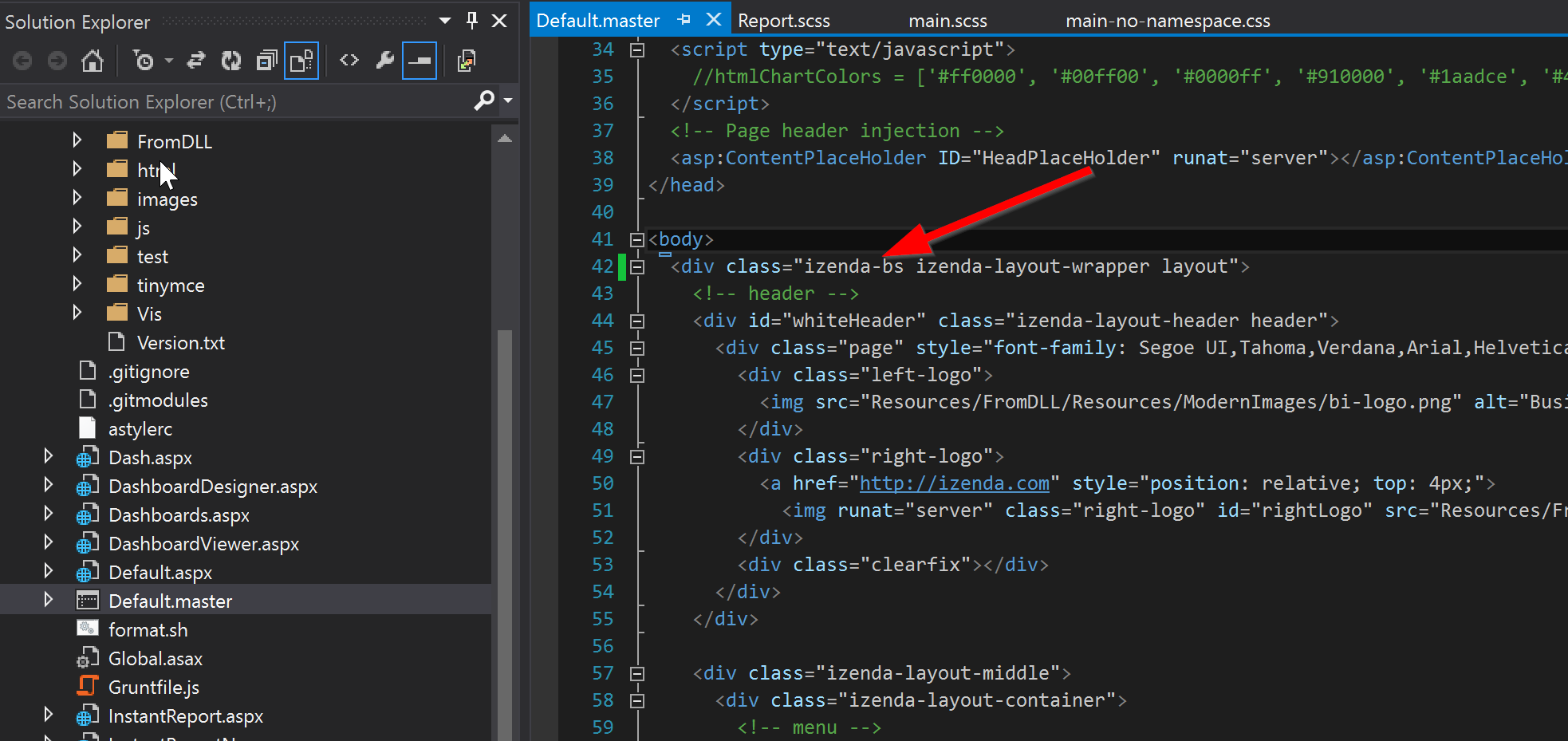 **Step 5 >> Repeat 1-3 for the Report.css stylesheet.** 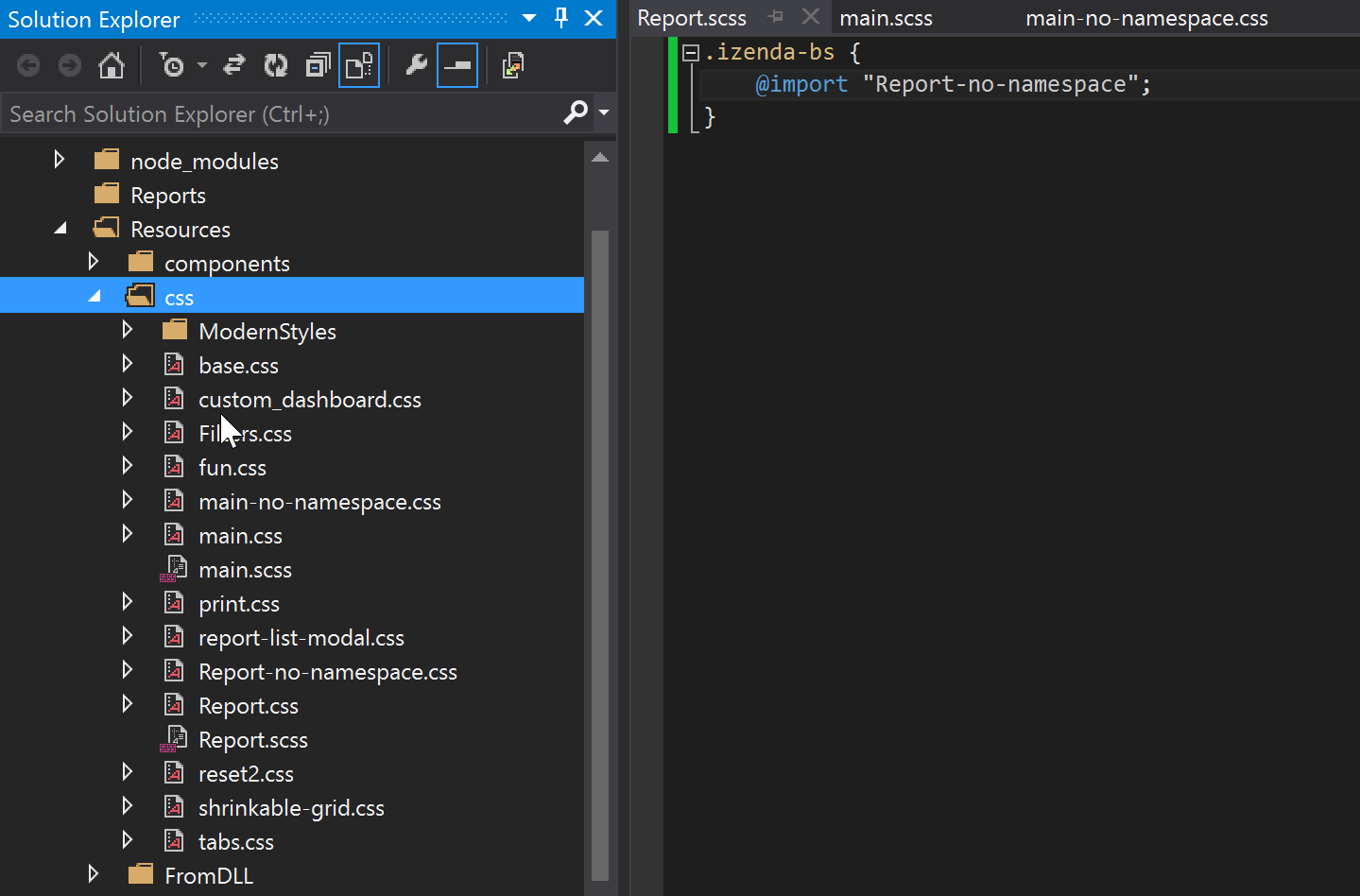 ##Using LESS LESS uses the same method as SASS for namespacing, but with slightly different syntax for importing in newer versions: ```css .izenda-bs { @import (less) url("main-no-namespace.css"); }
Uploading file...
Header
 **This documentation is for the legacy Izenda 6 product. Documentation for the new Izenda 7 product can be found at [[https://www.izenda.com/docs/|https://www.izenda.com/docs/]]**
Sidebar
 --- * [[Izenda 7 Series Documentation|https://www.izenda.com/docs/]] * [[Release Notes]] * [[Upgrade Best Practices|FAQ/Izenda-Update-Best-Practices]] * [[FAQ]] * [[Tutorials]] * [[The Izenda API|/API/AdHocConfig]] * [[The AdHocSettings class|/API/AdHocSettings]] * [Developer Links and Guides](/Guides/Developer-Links-and-Guides) * [[Known Issues]] --- * <a href="http://www.izenda.com" rel="nofollow" target="_blank">Izenda Website</a> * [Product Video](https://www.youtube.com/watch?v=X3-yWFq0w5A) * <a href="http://www.izenda.com/blog" rel="nofollow" target="_blank">Izenda Blog</a> * <a href="http://www.izenda.com/company/" rel="nofollow" target="_blank">About Us</a> * <a href="http://www.izenda.com/contact-us/" rel="nofollow" target="_blank">Contact Us</a> --- * [Guide To Report Design](/Guides/ReportDesign) * [Making Custom Forms Video](http://www.youtube.com/watch?v=5b2axJlgdFs) --- * [[Acknowledgements]]
Edit message:
Cancel