
##Purpose
Hiding fields in filters is a way to disallow filtering on certain fields. You can programmatically prevent access to fields in the filters tab based on any arbitrary logic you wish to employ.
##Example
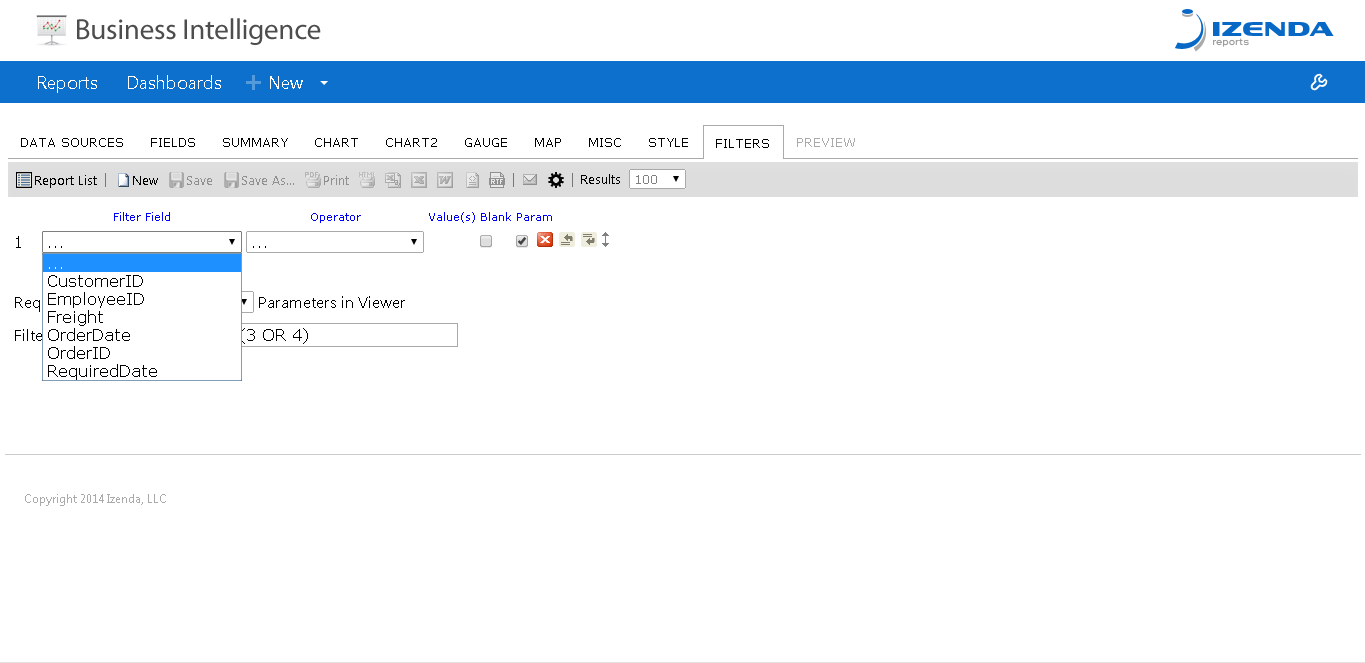
In this example, I'm arbitrarily disallowing the user to filter on any field with the word "Ship" in it.
##Implementation
There is a rather simple override to implement this functionality in your Global.asax. The function is IsFieldAllowedInFilters and has the following signature.
public override bool IsFieldAllowedInFilters(string fullColumnName, string tableName, string columnName) {
      base.IsFieldAllowedInFilters(fullColumnName, tableName, columnName);
    }
Here is the override used to achieve the results in the Example section:
public override bool IsFieldAllowedInFilters(string fullColumnName, string tableName, string columnName) {
      if (columnName.Contains("Ship")) {
        return false;
      }
      else
        return true;
    }
Your logic can be easily amended to target individual columns, or even entire tables worth of columns.