#Izenda and UDFs (User Defined Functions)
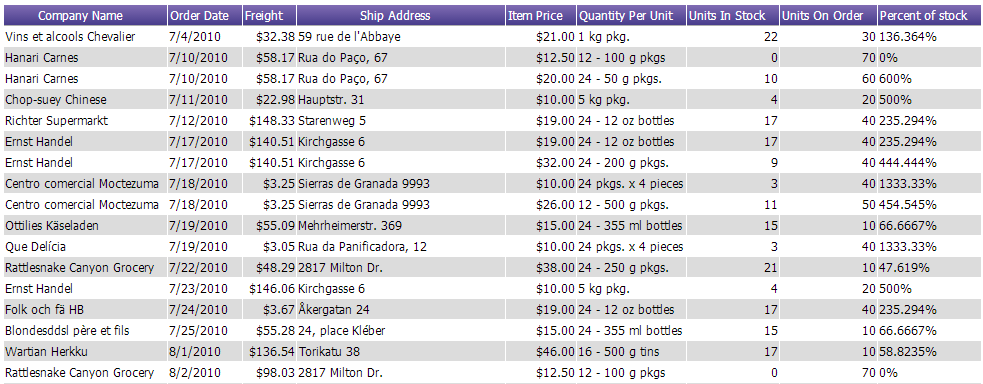
How do I utilize a complex UDF from my database within Izenda?
1) Create the UDF in the database that performs your calculation:
EXAMPLE UDF:
MsSQL
CREATE FUNCTION [dbo].[SafeDivide] (@p1 real ,@p2 real )
RETURNS real
AS
BEGIN
    RETURN ISNULL(@p1 / NULLIF(@p2, 0), 0)
END
Oracle
create or replace function "SAFEDIVIDE"
(p1 in NUMBER, p2 in NUMBER)
return NUMBER
as
begin
    RETURN ROUND(nvl(p1 / NULLIF(p2, 0), 0), 7);
end;
2) Add this function to Izenda:
AdHocSettings.ExtendedFunctions = new string[] { "[dbo].[SafeDivide]" };
3a) You can now choose this function in the 'Fields' tab function drop down for any column. (Functions, as the one above, with more than one input parameter cannot be chosen for a single column in the functions drop-down and must be implemented as an expression.)

3b) You can also use this function in the Expression box on the 'Fields' tab's advanced panel
SafeDivide([UnitsOnOrder], [UnitsInStock])