#Using ReportParts
##Question
What are ReportParts? How do I use them?
##Answer
ReportParts are containers for the different sections of reports defined in your system. Using ReportParts allows users to easily create their own dashboards in HTML and ASP. For example, you could create your own aspx web page and insert Izenda ReportParts into it, creating a customized dashboard or webpage.
###ASPX Example
You can insert ReportParts into aspx webpages using a custom element on the page.
First, your aspx page will have to include a reference to Izenda.AdHoc
<%@ Register TagPrefix="cc1" Namespace="Izenda.Web.UI" Assembly="Izenda.AdHoc" %>
Then you can add HTML like the following to use a ReportPart
<body>
  <form id="form1" runat="server">
  <div>
  <cc1:ReportPart id=ReportPartID1 runat="server" Report="rep1" Part="Detail"/>
   <cc1:ReportPart id=ReportPart1 runat="server" Report="ord" Part="Chart"/>
  <cc1:ReportPart id=ReportPart2 runat="server" Report="tt33" Part="Gauges"/>
</div>
</form>
</body>
The Report string should be the complete name of the report including the category. The part value can be equal to any of the following:
- Detail
- Summary
- Chart
- Chart2
- Gauges
- Map
###HTML example
You can also insert ReportParts into a pure HTML page and display it using javascript
First, you will have to include a reference to the javascript file used to render the ReportPart.
<head runat="server">
  <script type="text/javascript" src="http://yoursite.com/yourreportingsite/rs.aspx?js=report-parts"></script>
</head>
Then you can add HTML like the following to use a ReportPart.
<body>
  <div style="margin:5px; padding:10px; border: 1px solid gray; background-color: white;">
    <h1>Sales Chart</h1>
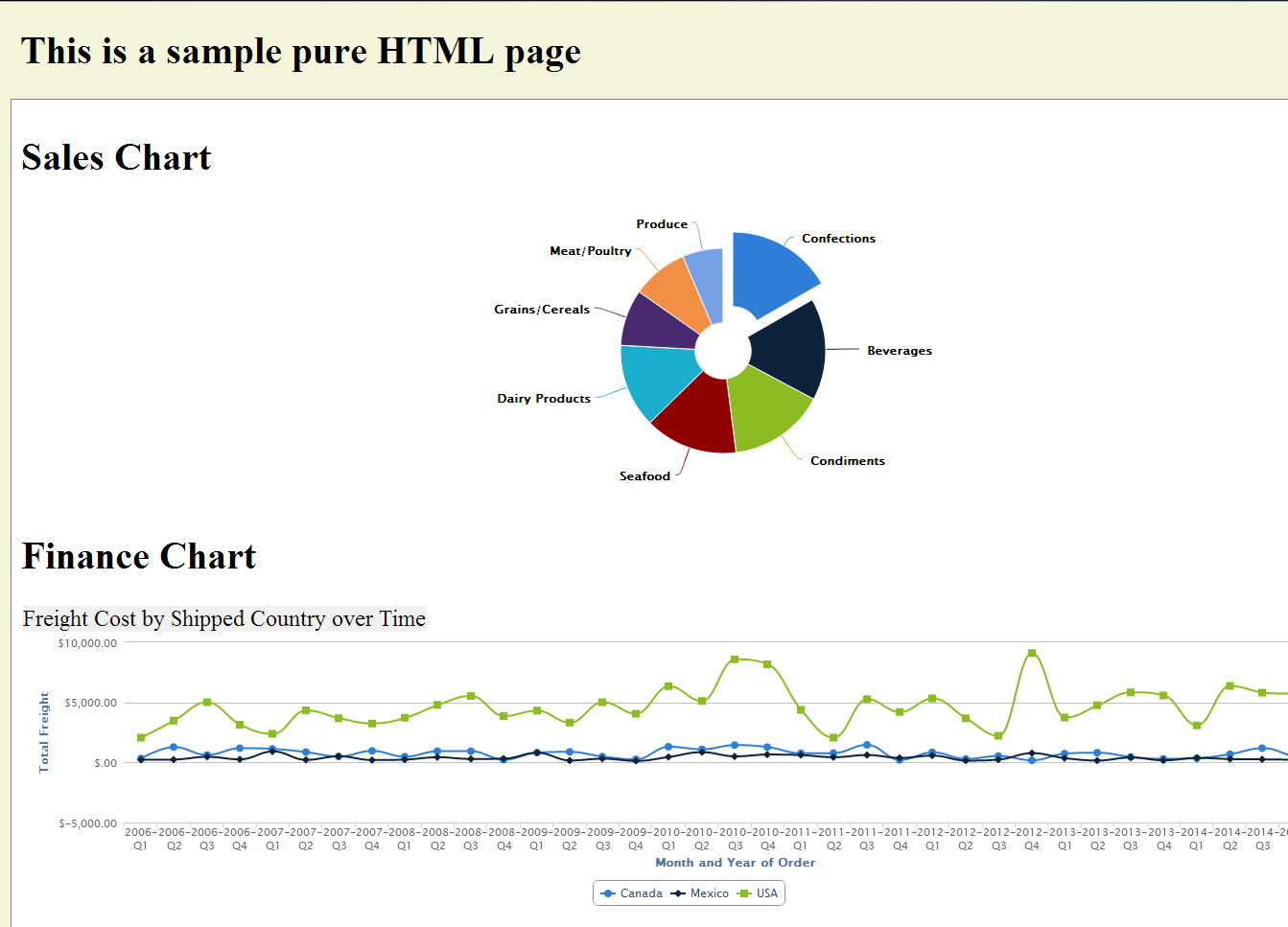
    <div class="report-part" data-report="Sales" data-part="chart"></div>
    <h1>Finance Chart</h1>
    <div class="report-part" data-report="Finance" data-part="chart"></div>
    <h1>Accounting Details</h1>
    <div class="report-part" data-report="Accounting" data-part="detail"></div>
  </div>
</body>
The data-report tag references the complete name of the report and the data-part identifier should be one of the items listed above, but this is not case-sensitive in this context.
The result of the HTML example is shown below.