
#How do I find out how many Cores or Sockets I have?
##Processor cores
In order to discover how many Cores you have:
-
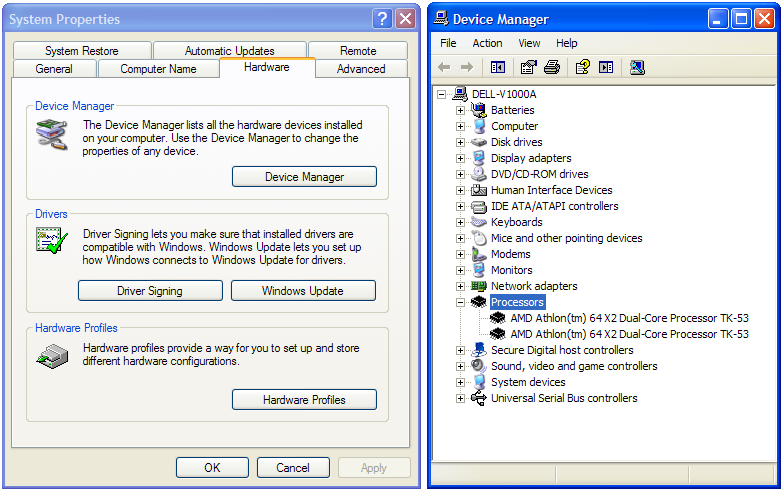
Windows Platforms:
- Open Windows Explorer
- Right-click My Computer
- Select Properties (This opens System Properties)
- Select Hardware tab
- Select Device Manager
- Expand Processors
Visual Example
 ##Processor sockets