
#ShowJoinAliasTextboxes
##About
Gets or sets the value indicating whether the join type alias text boxes should be shown on the DataSources tab (Advanced Mode). Advanced mode can be accessed by clicking "Advanced" on the DataSources tab when ShowDataSourcesAsCheckBoxes is true, or by setting ShowDataSourcesAsCheckBoxes to false.
##Global.asax (C♯)
//main class: inherits DatabaseAdHocConfig or FileSystemAdHocConfig
public class CustomAdHocConfig : Izenda.AdHoc.DatabaseAdHocConfig
{
  // Configure settings
  // Add custom settings after setting the license key and connection string by overriding the ConfigureSettings() method
  public static void InitializeReporting() {
    //Check to see if we've already initialized.
    if (HttpContext.Current.Session == null || HttpContext.Current.Session["ReportingInitialized"] != null)
      return;
    AdHocSettings.LicenseKey = "INSERT_LICENSE_KEY_HERE";
    //Creates a connection to Microsoft SQL Server
    AdHocSettings.SqlServerConnectionString = "INSERT_CONNECTION_STRING_HERE";
    Izenda.AdHoc.AdHocSettings.AdHocConfig = new CustomAdHocConfig();


    AdHocSettings.ShowJoinAliasTextboxes = true; // Enable join alias text boxes


    HttpContext.Current.Session["ReportingInitialized"] = true;
  }
}
##Global.asax (VB.NET)
'main class: inherits DatabaseAdHocConfig or FileSystemAdHocConfig
Public Class CustomAdHocConfig
    Inherits Izenda.AdHoc.DatabaseAdHocConfig

    'Configure settings
    'Add custom settings after setting the license key and connection string by overriding the ConfigureSettings() method
    Shared Sub InitializeReporting()
        'Check to see if we've already initialized.
        If HttpContext.Current.Session Is Nothing OrElse HttpContext.Current.Session("ReportingInitialized") IsNot Nothing Then
            Return
        'Initialize System
        AdHocSettings.LicenseKey = "INSERT_LICENSE_KEY_HERE"
        AdHocSettings.SqlServerConnectionString = "INSERT_CONNECTION_STRING_HERE"
        Izenda.AdHoc.AdHocSettings.AdHocConfig = New CustomAdHocConfig()

        AdHocSettings.ShowJoinAliasTextboxes = false 'Disable join alias text boxes. By default, this is set to false.

        HttpContext.Current.Session("ReportingInitialized") = True
    End Sub
End
##Screenshots
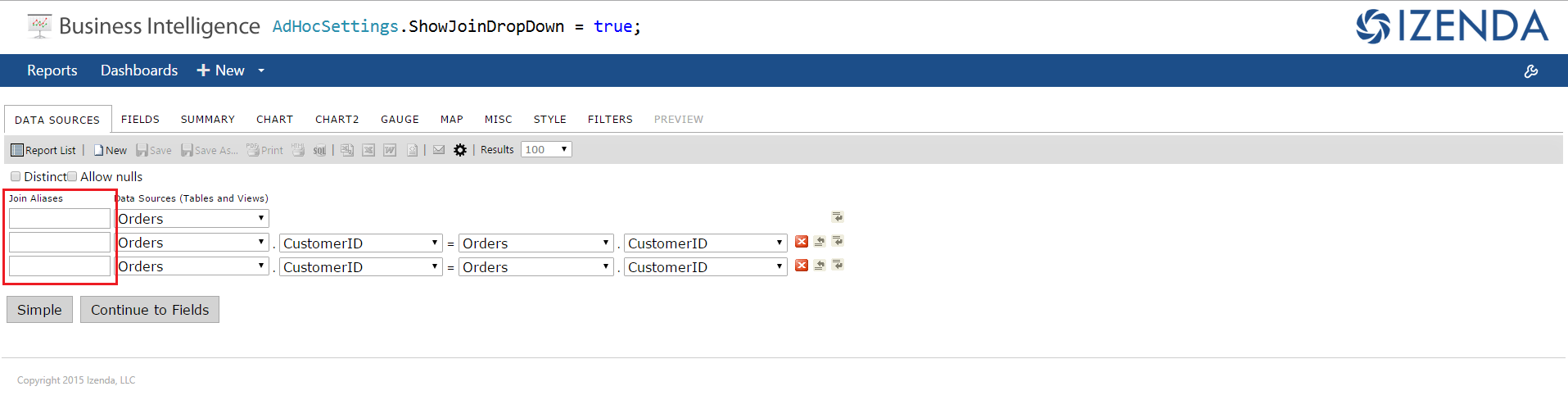
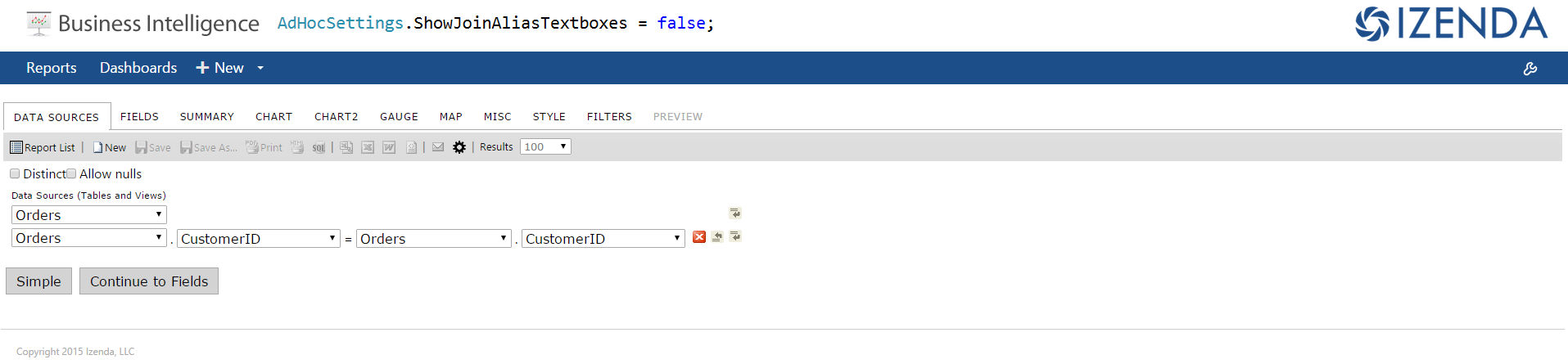
##Instruction
By default, when the same table is used multiple times as joined table, Izenda differentiate them by number as below.
Using join alias textbox, user can distinguish the joined tables more clearly
-
After enabling Join Alias Textbox as below, type alias in the textbox. Click 'Update datasources aliases'.
-
In FIELDS tab, the aliased joined tables appear as below