
#SettingsKey
##About
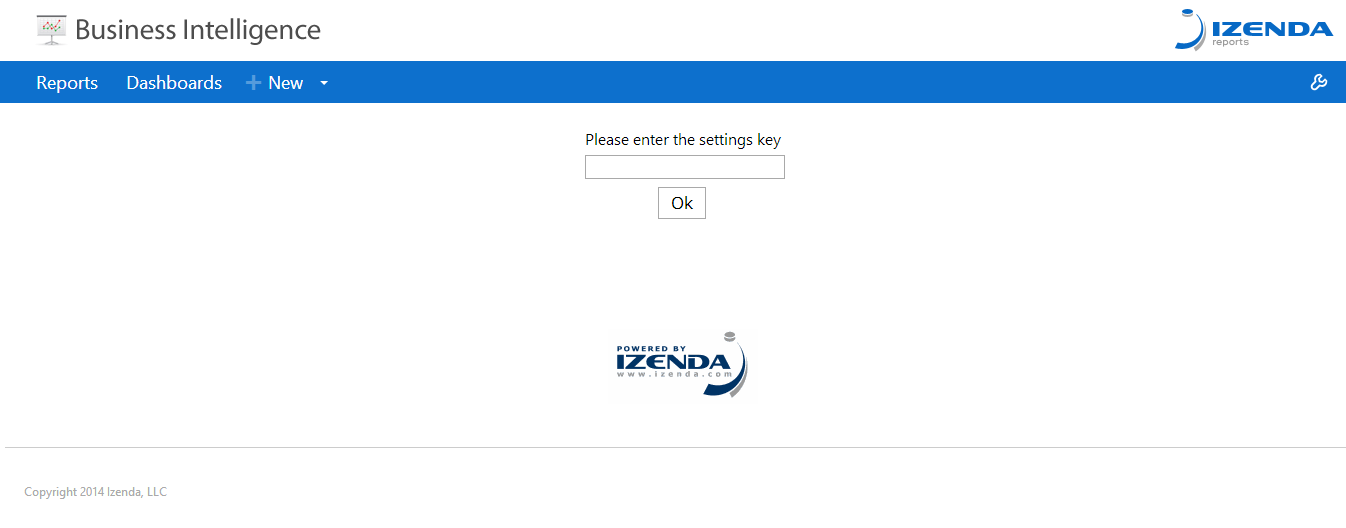
Gets or sets password to access the settings page. It should be used in tandem with AdHocUserKey if you don't need multi-user security. If set, user will be asked for the password before settings page will be opened.
Default Value: null
##Global.asax (C♯)
//main class: inherits DatabaseAdHocConfig or FileSystemAdHocConfig
public class CustomAdHocConfig : Izenda.AdHoc.DatabaseAdHocConfig
{
  // Configure settings
  // Add custom settings after setting the license key and connection string by overriding the ConfigureSettings() method
  public static void InitializeReporting() {
    //Check to see if we've already initialized.
    if (HttpContext.Current.Session == null || HttpContext.Current.Session["ReportingInitialized"] != null)
      return;
    AdHocSettings.LicenseKey = "INSERT_LICENSE_KEY_HERE";
    //Creates a connection to Microsoft SQL Server
    AdHocSettings.SqlServerConnectionString = "INSERT_CONNECTION_STRING_HERE";
    Izenda.AdHoc.AdHocSettings.AdHocConfig = new CustomAdHocConfig();
    AdHocSettings.SettingsKey = "foo"; //the relevant setting
    HttpContext.Current.Session["ReportingInitialized"] = true;
  }
}
##Global.asax (VB.NET)
'main class: inherits DatabaseAdHocConfig or FileSystemAdHocConfig
Public Class CustomAdHocConfig
    Inherits Izenda.AdHoc.DatabaseAdHocConfig

    'Configure settings
    'Add custom settings after setting the license key and connection string by overriding the ConfigureSettings() method
    Shared Sub InitializeReporting()
        'Check to see if we've already initialized.
        If HttpContext.Current.Session Is Nothing OrElse HttpContext.Current.Session("ReportingInitialized") IsNot Nothing Then
            Return
        'Initialize System
        AdHocSettings.LicenseKey = "INSERT_LICENSE_KEY_HERE"
        AdHocSettings.SqlServerConnectionString = "INSERT_CONNECTION_STRING_HERE"
        Izenda.AdHoc.AdHocSettings.AdHocConfig = New CustomAdHocConfig()
        AdHocSettings.SettingKey = "foo" 'The relevant setting
        HttpContext.Current.Session("ReportingInitialized") = True
    End Sub
End Class
##Screenshots
##Related Articles
Other settings and tutorials related to this setting are listed below: