#AllowLineOnBar
##About
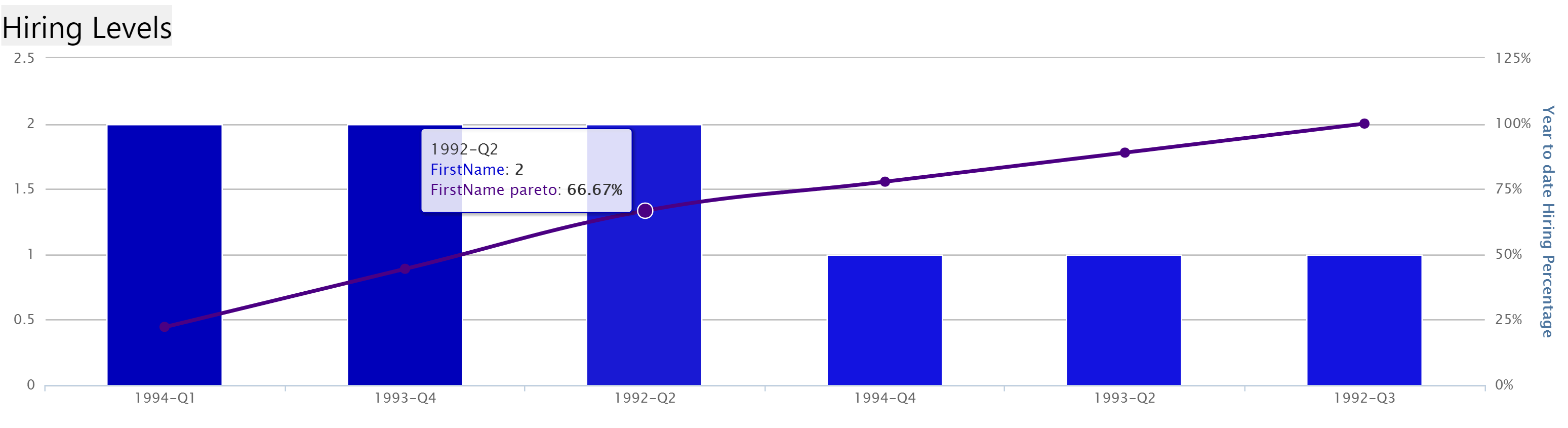
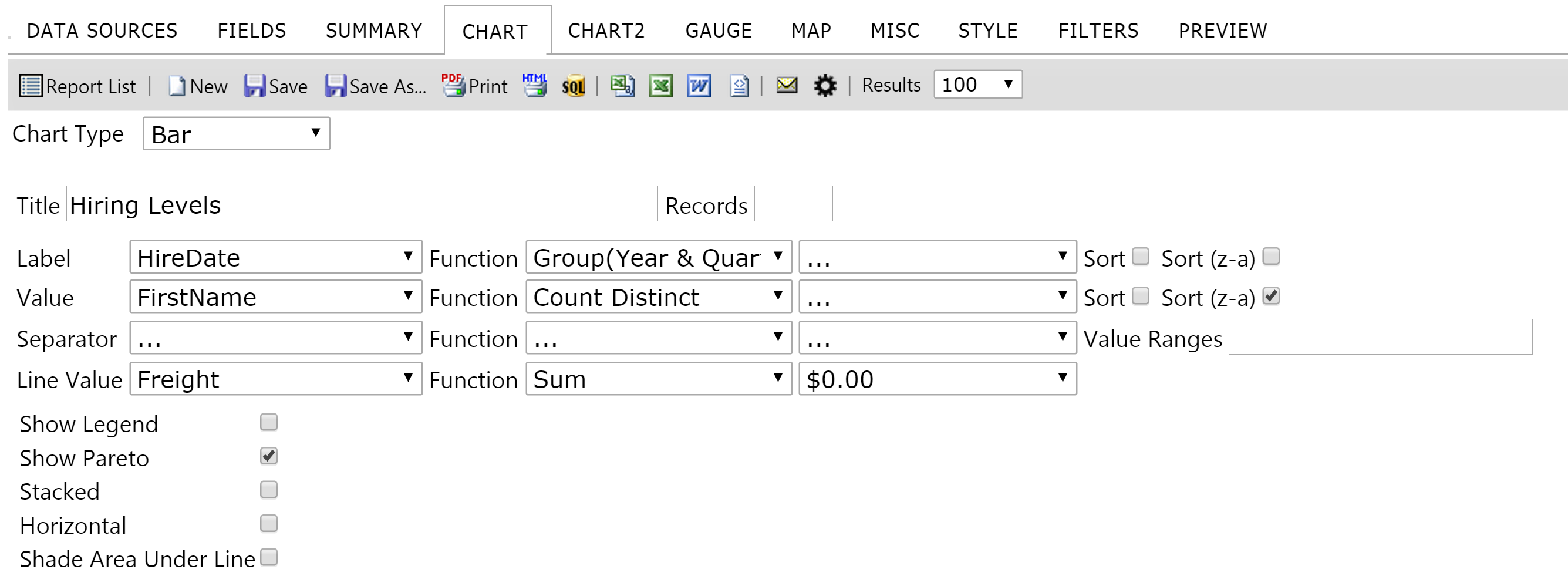
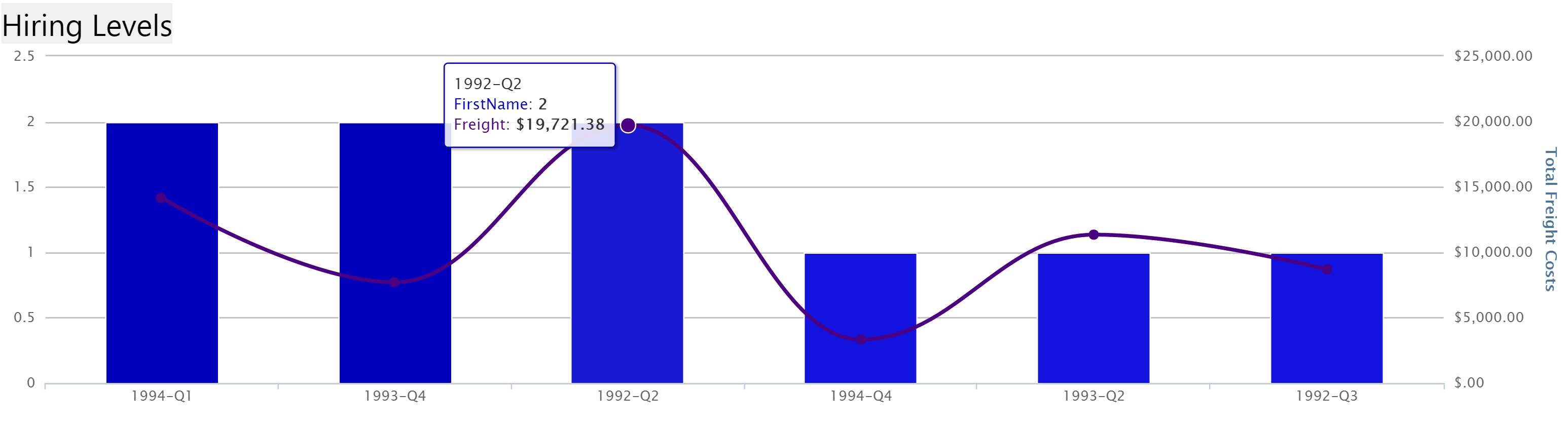
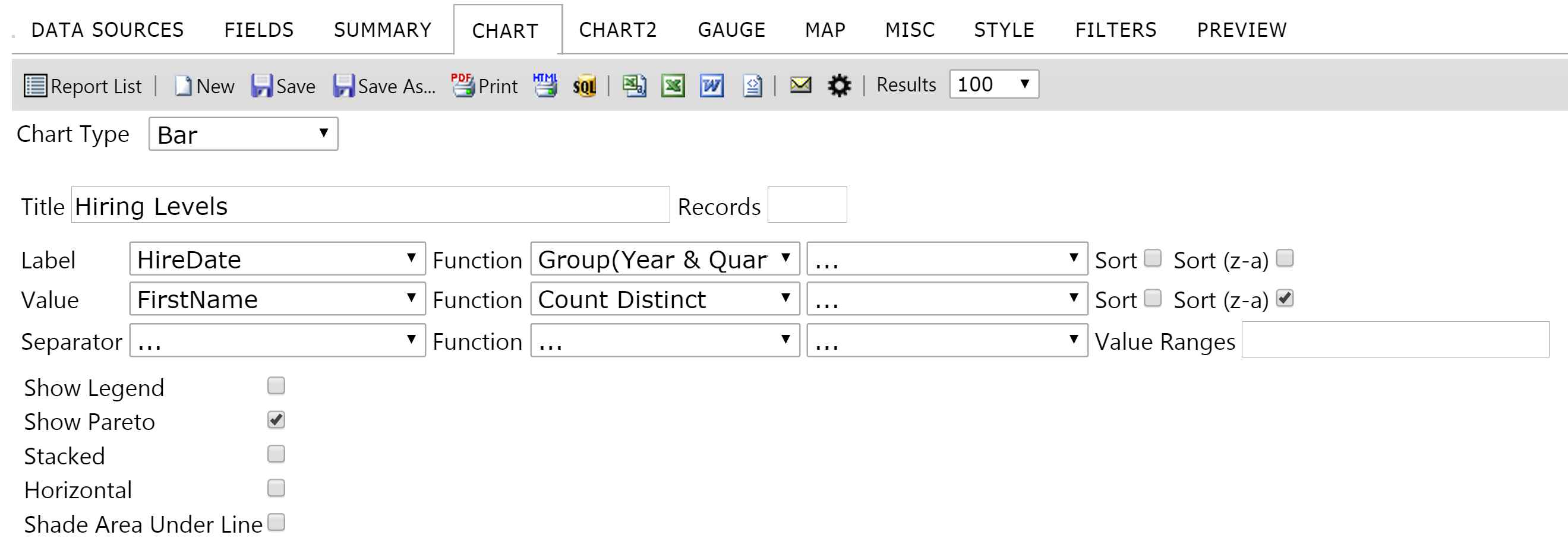
Gets or sets the value indicating whether the "line value" option displays when designing bar charts. If this is false, pareto charts can still be used. However, the pareto line will reflect the percentage of the total sum of all bars with a percentage datapoint at each point on the graph. If this is true, then the designer will be able to define exactly what metric the line uses.
##Global.asax (C♯)
//main class: inherits DatabaseAdHocConfig or FileSystemAdHocConfig
public class CustomAdHocConfig : Izenda.AdHoc.DatabaseAdHocConfig
{
  // Configure settings
  // Add custom settings after setting the license key and connection string by overriding the ConfigureSettings() method
  public static void InitializeReporting() {
    //Check to see if we've already initialized.
    if (HttpContext.Current.Session == null || HttpContext.Current.Session["ReportingInitialized"] != null)
      return;
    AdHocSettings.LicenseKey = "INSERT_LICENSE_KEY_HERE";
    AdHocSettings.SqlServerConnectionString = "INSERT_CONNECTION_STRING_HERE";
    Izenda.AdHoc.AdHocSettings.AdHocConfig = new CustomAdHocConfig();
    AdHocSettings.AllowInvertedGrid = true; //The relevant setting
    HttpContext.Current.Session["ReportingInitialized"] = true;
  }
}
##Global.asax (VB.NET)
'main class: inherits DatabaseAdHocConfig or FileSystemAdHocConfig
Public Class CustomAdHocConfig
    Inherits Izenda.AdHoc.DatabaseAdHocConfig

    Shared Sub InitializeReporting()
        'Check to see if we've already initialized
        If HttpContext.Current.Session Is Nothing OrElse HttpContext.Current.Session("ReportingInitialized") IsNot Nothing Then
            Return
        'Initialize System
        AdHocSettings.LicenseKey = "INSERT_LICENSE_KEY_HERE"
        AdHocSettings.SqlServerConnectionString = "INSERT_CONNECTION_STRING_HERE"
        Izenda.AdHoc.AdHocSettings.AdHocConfig = New CustomAdHocConfig()
        AdHocSettings.AllowInvertedGrid = True 'The relevant setting
        HttpContext.Current.Session("ReportingInitialized") = True
    End Sub
End Class
#Screenshots
AdHocSettings.AllowLineOnBar = true
Results
AdHocSettings.AllowLineOnBar = false
Results