#AllowClientSorting
##About
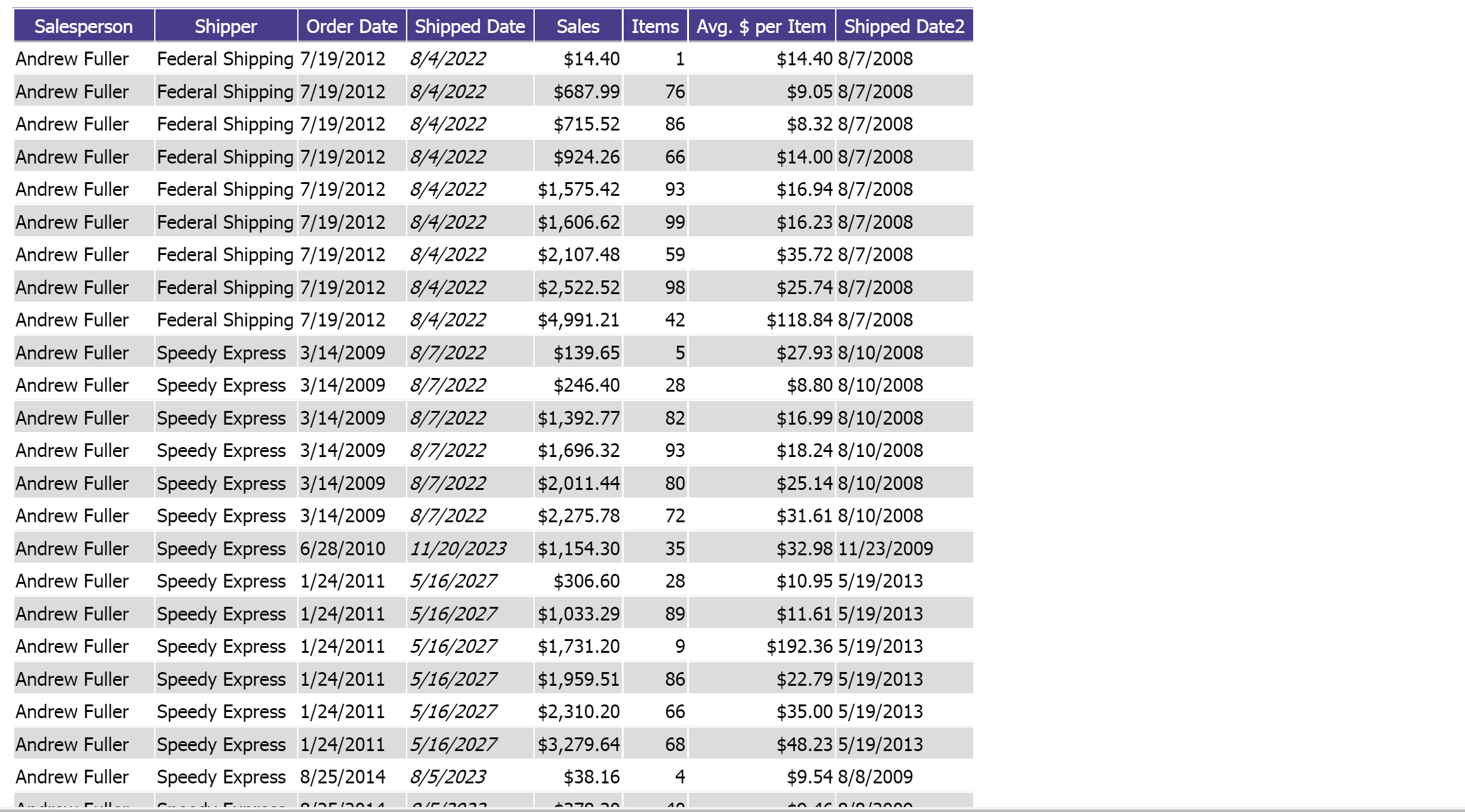
Gets or sets whether sorting fields is allowed for report viewers. Report designers may still sort fields how they wish. Reports will obey the sort order given when the report was designed if this is false. This only applies to the grid as charts cannot be sorted.
##Global.asax (C♯)
//main class: inherits DatabaseAdHocConfig or FileSystemAdHocConfig
public class CustomAdHocConfig : Izenda.AdHoc.DatabaseAdHocConfig
{
  // Configure settings
  // Add custom settings after setting the license key and connection string by overriding the ConfigureSettings() method
  public static void InitializeReporting() {
    //Check to see if we've already initialized.
    if (HttpContext.Current.Session == null || HttpContext.Current.Session["ReportingInitialized"] != null)
      return;
    AdHocSettings.LicenseKey = "INSERT_LICENSE_KEY_HERE";
    //Creates a connection to Microsoft SQL Server
    AdHocSettings.SqlServerConnectionString = "INSERT_CONNECTION_STRING_HERE";
    Izenda.AdHoc.AdHocSettings.AdHocConfig = new CustomAdHocConfig();
    AdHocSettings.AllowClientSorting = true; //The relevant setting
    HttpContext.Current.Session["ReportingInitialized"] = true;
  }
}
##Global.asax (VB.NET)
'main class: inherits DatabaseAdHocConfig or FileSystemAdHocConfig
Public Class CustomAdHocConfig
    Inherits Izenda.AdHoc.DatabaseAdHocConfig

    Shared Sub InitializeReporting()
        'Check to see if we've already initialized
        If HttpContext.Current.Session Is Nothing OrElse HttpContext.Current.Session("ReportingInitialized") IsNot Nothing Then
            Return
        'Initialize System
        AdHocSettings.LicenseKey = "INSERT_LICENSE_KEY_HERE"
        AdHocSettings.SqlServerConnectionString = "INSERT_CONNECTION_STRING_HERE"
        Izenda.AdHoc.AdHocSettings.AdHocConfig = New CustomAdHocConfig()
        AdHocSettings.AllowClientSorting = True 'The relevant setting
        HttpContext.Current.Session("ReortingInitialized") = True
    End Sub
End Class
##Screenshots
AdHocSettings.AllowClientSorting = true
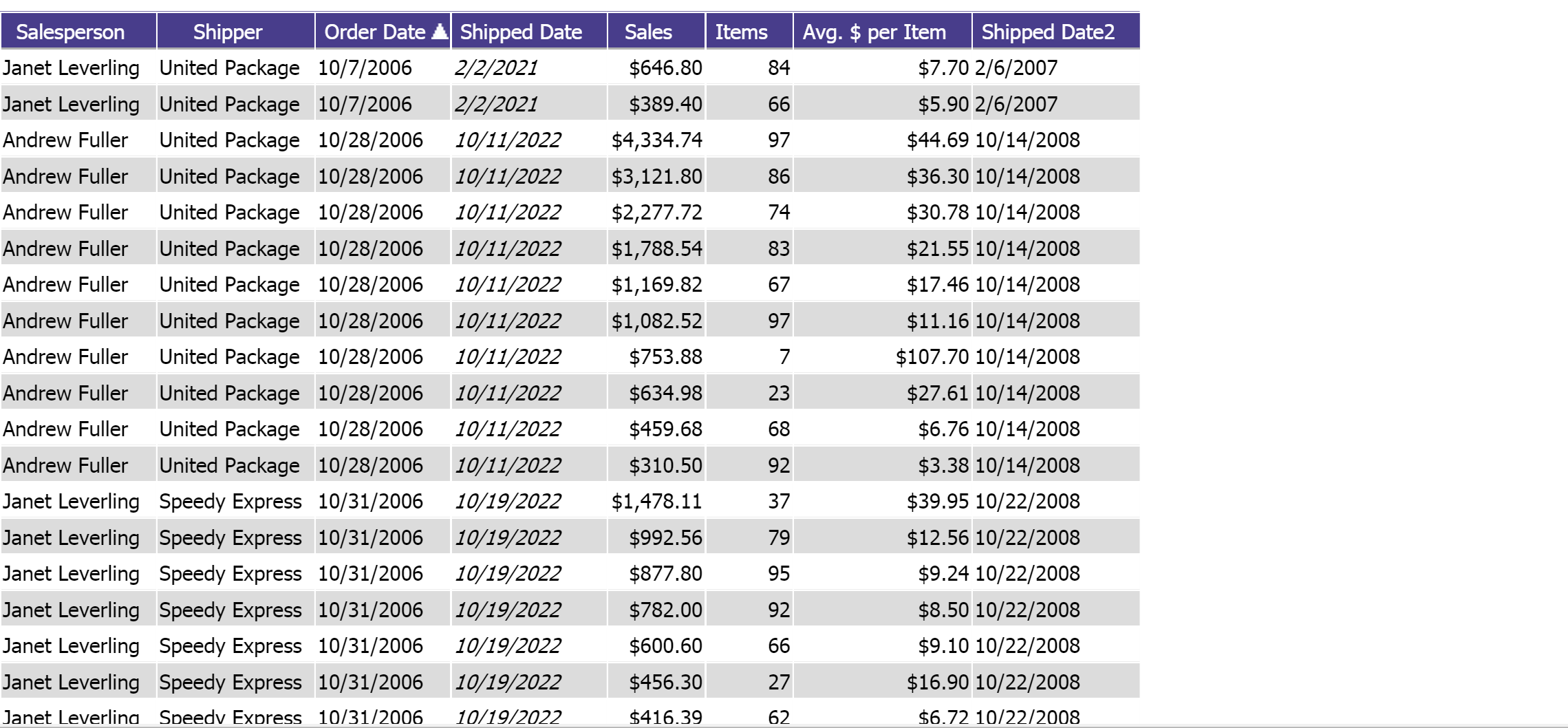
AdHocSettings.AllowClientSorting = false